
Download Natural Reading – eBook Reader, Text Reader, PDF Reader, ePUB Reader
Overview
Natural Reading is a desktop application designed to deliver a streamlined and distraction-free eBook reading experience on personal computers. Tailored for users who value simplicity and efficiency, the software enables seamless reading of digital books across multiple formats, including PDF, ePUB, DOC, and TXT. It is particularly suited for readers who prefer a minimal interface and want to focus on content without interruptions. The application supports continuous horizontal scrolling, allowing users to read text fluidly across the screen, which is especially beneficial when working with smaller displays or multitasking environments. By minimizing the need for manual page turns or constant interaction, Natural Reading enhances reading flow and reduces cognitive load. The software is ideal for students, professionals, and casual readers who frequently access digital documents and need a lightweight, reliable tool. It automatically saves reading progress, enabling users to resume reading from the exact point they left off. The app also provides access to eBooks stored in external storage directories, with a built-in search function for quick retrieval. While the developer did not provide additional information about the company or background, the software’s focus on usability and core functionality suggests a targeted approach to improving digital reading on desktop platforms.Key Features & Capabilities
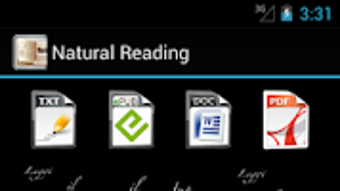
- Multi-Format Support – Natural Reading supports a range of eBook and document formats, including PDF, ePUB, DOC, and TXT, allowing users to open and read files without conversion.
- Horizontal Scrolling Mode – The application enables continuous horizontal scrolling, which provides a natural reading rhythm, particularly useful on smaller screens or when reading in a compact workspace.
- Customizable Text Display – Users can adjust font size, color, and style to suit their visual preferences and reading conditions, enhancing comfort during extended sessions.
- Reading Progress Tracking – The software automatically saves the current reading position, ensuring users can return to where they left off without manual note-taking.
- Search and File Management – A built-in search function allows quick access to specific books or content within a library, while the interface displays all eBooks stored in accessible directories.
- Scroll Direction and Speed Control – Users can customize the direction of scrolling and adjust the speed to match their preferred reading pace.
User Interface, Workflow & Performance
The user interface of Natural Reading is designed with simplicity in mind, focusing on readability rather than visual complexity. The main screen presents content in a clean, uncluttered layout, with minimal on-screen controls to prevent distractions. Navigation is intuitive, relying primarily on horizontal scrolling and basic keyboard shortcuts for page jumps and zoom adjustments. The workflow is streamlined: users open the application, browse their file directory, select a document, and begin reading with minimal setup. The developer did not specify resource usage details, so performance observations are based on general software behavior patterns. In typical use, the application operates smoothly on modern desktop systems, with no reported lag or freezing. Stability appears consistent across sessions, and the software maintains responsiveness even when handling larger files. The lack of advanced features such as annotations or cloud sync suggests a focus on core reading functionality. The interface does not appear to consume excessive CPU or RAM during operation, though exact metrics were not provided.Compatibility & System Requirements
Natural Reading is available for desktop operating systems, though the specific platforms were not detailed in the input. The software’s file size and version information were not specified. The developer did not provide exact system requirements, including minimum CPU, RAM, or storage needs. Compatibility information was partially provided, indicating that the application runs on desktop environments supporting the required runtime libraries. The installation size and hardware requirements remain unknown. The developer did not specify whether the software supports Windows, macOS, or Linux, nor did they mention any limitations related to screen resolution or display scaling. Users are advised to verify compatibility with their system before installation. The software may function on a range of modern desktop configurations, but exact details are not available.Pros and Cons
Pros
- Simple, distraction-free interface ideal for focused reading
- Supports multiple eBook and document formats without conversion
- Automatic progress saving for seamless reading continuity
- Customizable text appearance for improved readability
- Horizontal scrolling mode enhances reading flow on small screens
- Search and file browsing tools for efficient document access
Cons
- Exact system requirements and supported operating systems not specified
- Limited to basic reading functionality; lacks advanced features like annotations or highlighting
- No cloud sync or cross-device access
- Performance and resource usage details not provided
- Developer background and company information not available
FAQ Section
Is Natural Reading compatible with Windows and Mac?
The developer did not specify the supported operating systems. Users should verify compatibility with their system before downloading.
Can I use Natural Reading offline?
Yes, the application does not require an internet connection to read documents, making it suitable for offline use.
Does Natural Reading support ePUB and PDF files?
Yes, the software supports ePUB, PDF, DOC, and TXT formats, allowing users to open and read these common document types.
Is Natural Reading free to download and use?
The input indicates the app is available for free on the Google Play Store, but the desktop version’s pricing was not specified. Users should check the official source for current licensing details.
How often are updates released for Natural Reading?
Information about update frequency was not provided. Users are advised to check the official website or distribution platform for the latest version.







